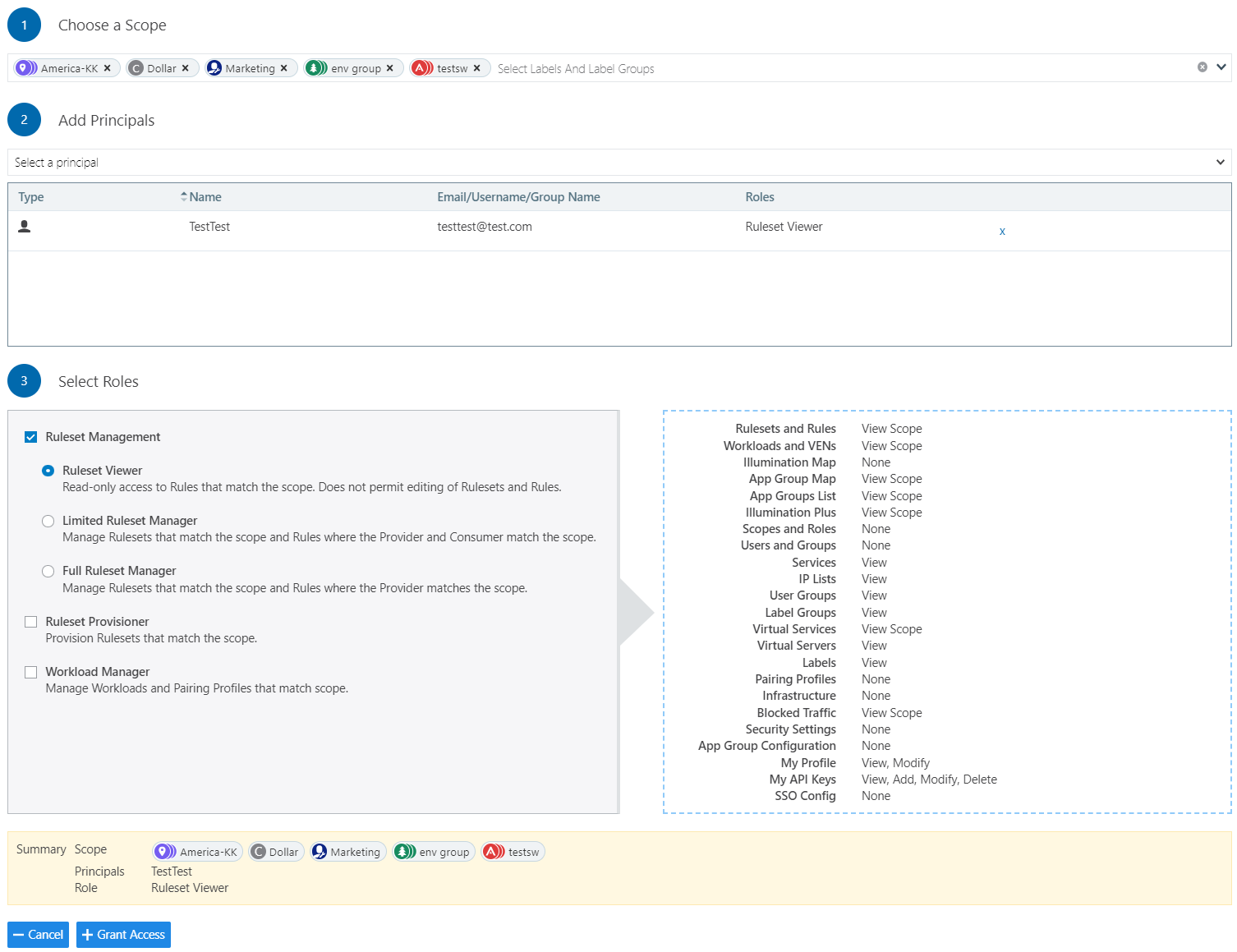
Updates to Roles
Illumio Segmentation for Data Centers provides two types of user roles - Global and Scoped. It also allows stacking multiple roles for the same user. A PCE owner can assign multiple roles to the same user. The resulting set of permissions is the summation of all permissions included with each of the stacked roles. With these updates:
Existing scoped roles enhanced to restrict reads by scope.
New scope-based read-only role limits read access by labels.
Scoped users have limited visibility into objects 1 hop away (this applies to Explorer, App Group Maps, Rule Search, and Traffic).
Global read-only is disabled by default for new PCE installations.
PCE performance and scale are enhanced to support concurrently active users.
Global Roles
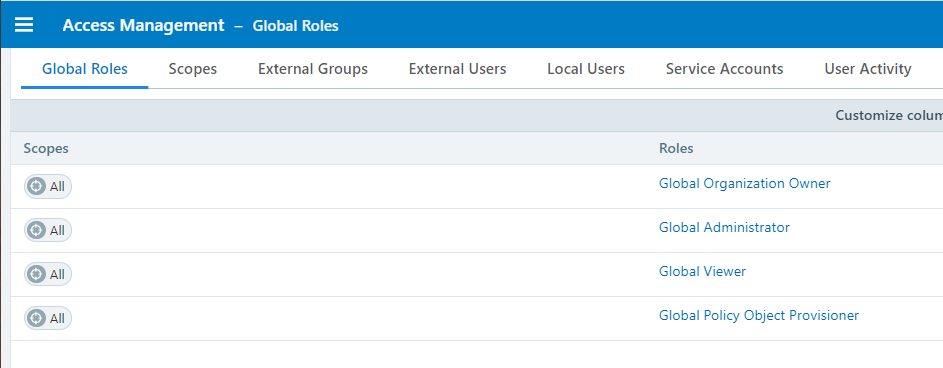
Global roles grant the user permissions to view everything and perform global operations. The four Global roles are :
Global Organization Owner: Allowed to manage all aspects of the PCE, including user management.
Global Administrator: Allowed to manage most aspects of the PCE, with the exception of user management.
Global Viewer: Allowed to view everything within the PCE in a read-only capacity. This role was previously called "Global Read-only".
Global Policy Object Provisioner: Allowed to provision global objects that require provisioning, such as Services and Label Groups.
Scoped Roles
The scoped roles are defined using labels. The permissions included with the assigned role apply only to the assigned scope, where the scope is defined using a combination of as many label types you have defined (and with only one label value per type). To grant permissions to different applications for a user, each application scope must be added to that user.
All the Scoped roles have been enhanced to restrict reads and writes by Scope. The Scoped roles are :
Ruleset Viewer: A new scope-based read-only role. A user with this role has read-only permissions within the assigned scope. The user can view policy, application groups, incoming and outgoing traffic, and labeled objects such as workloads, within the assigned scope.
Ruleset Manager (Limited or Full): An existing scope-based read/write role. A user with this role can read/write policy within the assigned scope. The user can also view application groups, incoming and outgoing traffic, and labeled objects, within the assigned scope.
Ruleset Provisioner: This role allows a user to provision changes to the scoped objects, provided the objects are inside the user's assigned scope. A user with this role can provision changes to policies within the assigned scope. The user can also view application groups, incoming and outgoing traffic, and labeled objects, within the assigned scope.
Workload Manager: Allows a user to perform workload-specific operations, such as pairing, unpairing, assigning labels, and changing policy state. A user with this role cannot view policies and traffic, and cannot provision changes.