Set Workload Interfaces to Ignored
In the PCE web console, you can set interfaces from Managed to Ignored. This option allows you to set the workload to ignore visibility and enforcement on the interconnected interfaces of database clusters, such as Oracle RAC.
During pairing, you can set one or more interfaces to Ignored, which causes the first downloaded firewall to ignore those interfaces.
After you set an interface to 'Ignored,' it is excluded from the policy configuration, and traffic flows uninterrupted through it without any change in latency. You can see which interfaces are marked as Ignored on the Workloads’ Summary page.
On the left navigation, go to Servers & Endpoints > Workloads.
Click a workload to open the details.
Click Edit.
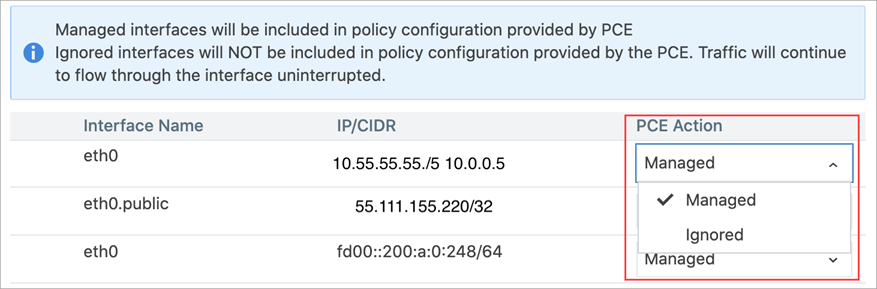
In the Network Interfaces section, change interfaces from Managed to Ignored using the PCE Action drop-down list.
Warning
DO NOT ignore PCE-generated interfaces such as
eth123.publicfor cloud workloads.If you are editing an unmanaged workload, you will not be able to ignore it using the PCE Action drop-down menu, which does not exist for unmanaged workloads.
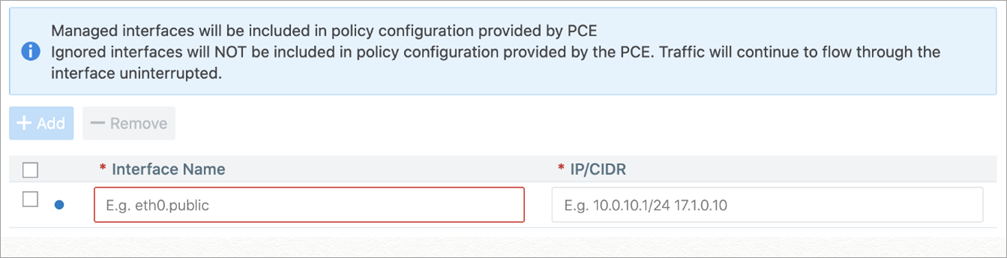
However, you can still provide information on the Interface Name and the IP/CIDR address.
Click Save.