What's New and Changed in Release 22.5.0
Illumio Core 22.5.0 was an unreleased version of the Illumio Core software.
New Features in 22.5.0
The following new features were added in Illumio Core 22.5.0.
Flexible Label Types
In this release, Illumio has introduced user-defined label types in addition to the previous four types (REAL). Now, administrators can create their own label types such as for operating system, business unit, and compliance.
You can define custom label types to reflect additional characteristics of the workloads in your installation. Create any label type that meets your organization's business needs. For example, you might want to label workloads according to their operating systems.
Flexible labeling provides for tighter, more granular policies. You can visualize larger deployments more efficiently.
New label types are supported throughout Illumio Core, including pairing profiles, container workload profiles, rules and rulesets, enforcement boundaries, and so on.
Illumination Plus
Illumination Plus supports additional label types, as well as writing rules for these labels. It provides a unique new way to reveal the traffic flows in your network and to help you configure policies to secure your applications using filtering.
New features in Illumination Plus are:
Illumination Plus feature provides functionality from the classic map and the functionality from the former Explorer feature.
You can still access the classic Illumination feature in this release because Illumination Plus has limitations working with the new flexible labeling feature. However, the previous Explorer feature is replaced by Illumination Plus and no longer available in this release. The functionality in the former Explorer feature is now available in Illumination Plus in the Table View and Mesh View.
Note
In Illumio Core 22.5.10+UI2, Illumio returned the Explorer feature to the PCE web console for customers who still want to use the functionality in that area of the GUI. To access the original Explorer feature, upgrade to Illumio Core 22.5.10+UI2.
When you use the original Explorer feature, the functionality does not support the new Illumio Core 22.5 flexible labing features, which allows you to create custom labels. The original Explorer feature only supports the standard Core RAEL labels.
Illumination Plus Map View and Table View support the new label types.
Workloads are stacked in groups, without being confined to the previous label ordering. These are options for grouping:
Auto grouping, which is currently configured, allows for cleaning up the view and gives the appropriate level of grouping.
Grouping by role, application, environment, or location (REAL), as it was available previously in Illumination Classic
Grouping by other defined criteria such as BU (business units), ST (special symbol test), C (currencies), and so on. Grouping can be done flexibly as you run your queries.
New layout options for maps:
Circular Layout, which enhances the space use on the screen.
Organic Layout, which reduces overlaps in label sets, groups, and traffic lines. It groups things that are highly connected and avoids crossing of the links.
Tiered Layout, which highlights source or destination relationships and gives you the overview of traffic flows from top to bottom. This layout type works better with smaller data sets.
Ability to increase the VEN traffic update frequency:
By default, VENs update traffic on the Illumination map every 10 minutes. An option on the Summary tab (which displays when you click a Workload in the Map) allows you to temporarily increase the update frequency to once per minute. After 10 minutes, the default update rate of once every 10 minutes resumes.
Reported vs. Draft View. Reported view categories are:
All Draft
Draft View: Allowed
DraftView: Potentially Blocked
Draft View: Blocked
Quick Draft Rules, which determine policy decisions using label-set rules only'
Deep rule analysis, which performs deep analysis to determine policy
Results Settings:
If you increase the maximum number of connections, the result will be more complete and the performance slower.
If the number of connections returned from the database exceeds the maximum displayed in Illumination Plus, all connections can be viewed by stepping through the results.
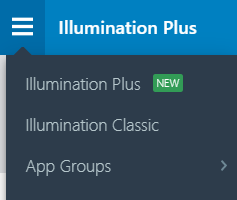
To start working with Illumination Plus, select it from the menu:
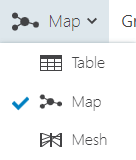
Once in the Illumination Plus screen, select the view from the dropdown menu:
Select the time frame you want to include to view the results:
Last Hour
Last 24 Hours
Last Week
Last Month
Anytime
Custom (using the supplied pop-up calendar)
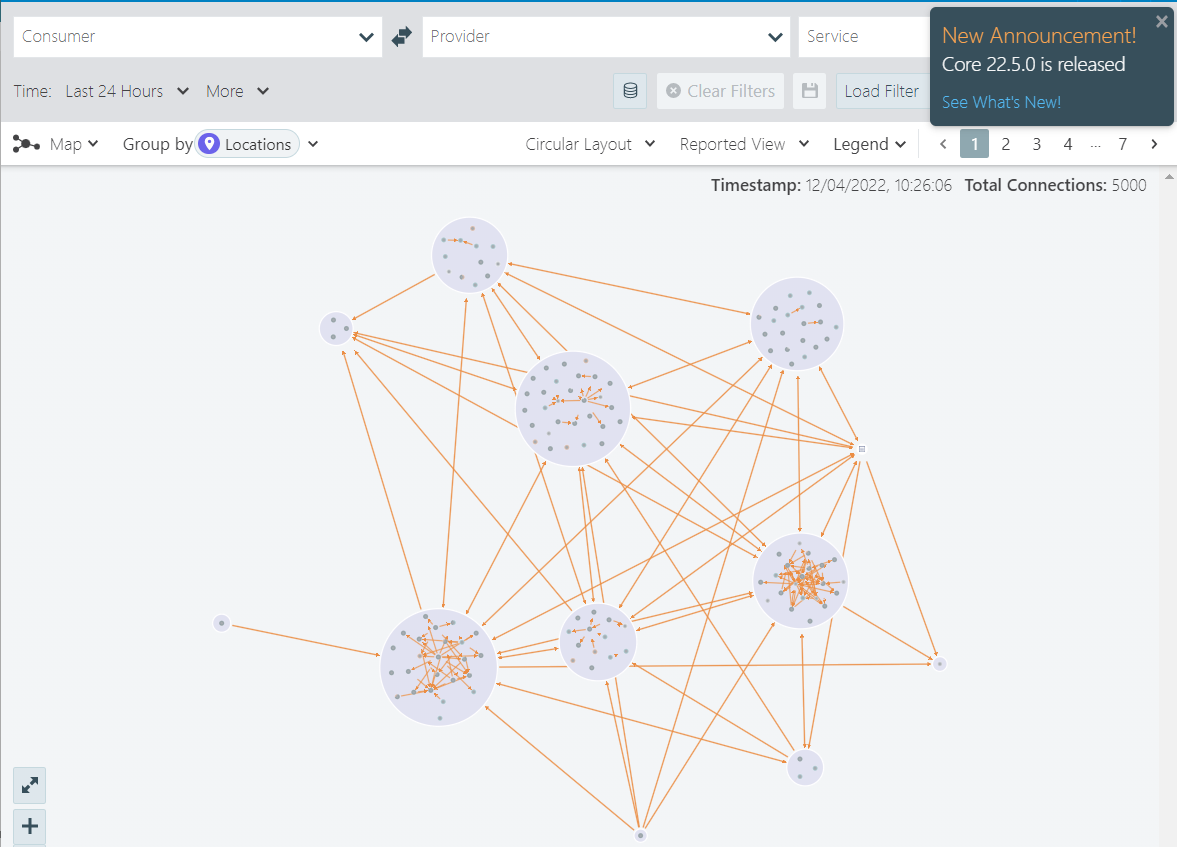
It is convenient to use cashed results, which are run in the last 24 hours.
For more details about Illumination Plus, see the Visualization Guide.
Enhancements in 22.5.0
The following enhancements were added to existing features in Illumio Core 22.5.0:
Enabling Container Inherit Host Policy on nftables
For Core VEN running standalone containers, the Container Inherit Host Policy (CIHP) provides a mechanism to get visibility and enforcement for traffic between containers and the outside world.
With CIHP, containers running on the workload inherit the policy sent down by the PCE to the VEN. As a result, the containers can be considered part of the host workload.
In RHEL/CentOS/Oracle Linux/etc. 8+, the default firewall type has changed from iptables to nftables: starting in 22.5.0 VEN, CIHP rules will now be properly applied on these platforms
Removing a PCE from a Supercluster
A new command is provided for removing a PCE from a Supercluster. Unpair any VENs from the PCE, then run this command on the PCE to be removed:
sudo -u ilo-pce illumio-pce-ctl supercluster-leave
New APIs for Checking Draft Policy Impact Before Provisioning
The new API sec_policy_impact_post contains the name of the method on existing resources, which is impact. It is used to see the policy impact before provisioning.
This new schema is referencing sec_policy_change_subset, which contains the property change_subset:
If
change_subsetis provided, the impact will be calculated only on this property.If
change_subsetis missing, the impact will be calculated on all of the pending items.
src_ip in Collector Traffic Filters
This feature enables users to filter traffic based on the source IP address.
Scanners can generate a lot of frequent traffic, flooding the Core’s traffic database and resulting in shorter than expected traffic data horizon. Using the predefined source IP, users can eliminate traffic from the data pipeline and database and reduce PCE host resources utilization.
In this release, filtering by source IP is supported only via API.
UI changes for both source port and IP are planned in a future release.
For the settings_traffic_collector APIs, there are two IP addresses that are defined for search:
The new single-source IP address (
src_ip), which was added to all three APIsThe updated single destination IP address (
dst_ip), which is now renamed from "single IP address or CIDR" to "single destination IP address or CIDR".
VEN Uninstall Timer
The configurable VEN uninstall timer was introduced to assist customers who ran into issues when mass-unpairing of VENs, either via API or UI. It will ensure that the VEN cleanly unpairs from the hosts over a certain time frame.
In previous releases, the VEN unpair request would time out after 7 days . If the VEN heartbeats within the 7 days, the VEN was instructed to uninstall itself but after 7 days the VEN record was completely purged from the PCE.
In such case:
User had to manually get onto the host and uninstall the VEN.
PCE did not send an instruction to the VEN to uninstall itself.
VEN would send a heartbeat to the PCE every four hours and receive the 401 error from the PCE.
In this release, the 7-day VEN Uninstall Timer is adjustable in both directions. The timer can be set for a short time such as one hour, all the way to 30 days to allow for the longest possible time for the hosts to come back, and then gracefully uninstall themselves.
Distinguishing Among Idle, Unmanaged, and No Port Exposure in VES
When querying vulnerability summary, the UI cannot differentiate between vulnerabilities that are still calculating and the ones that are N/A (not applicable), which stands for unmanaged workloads and idle workloads. As a result, the UI returns a Null value.
The new field vulnerability_computation_state was added to the vulnerability_summary and defines three computation states:
not_applicablesyncingin_sync
RBAC Changes
The following changes have been introduced:
Support for the
roledimension along with other custom dimensions for user scopes and service accounts
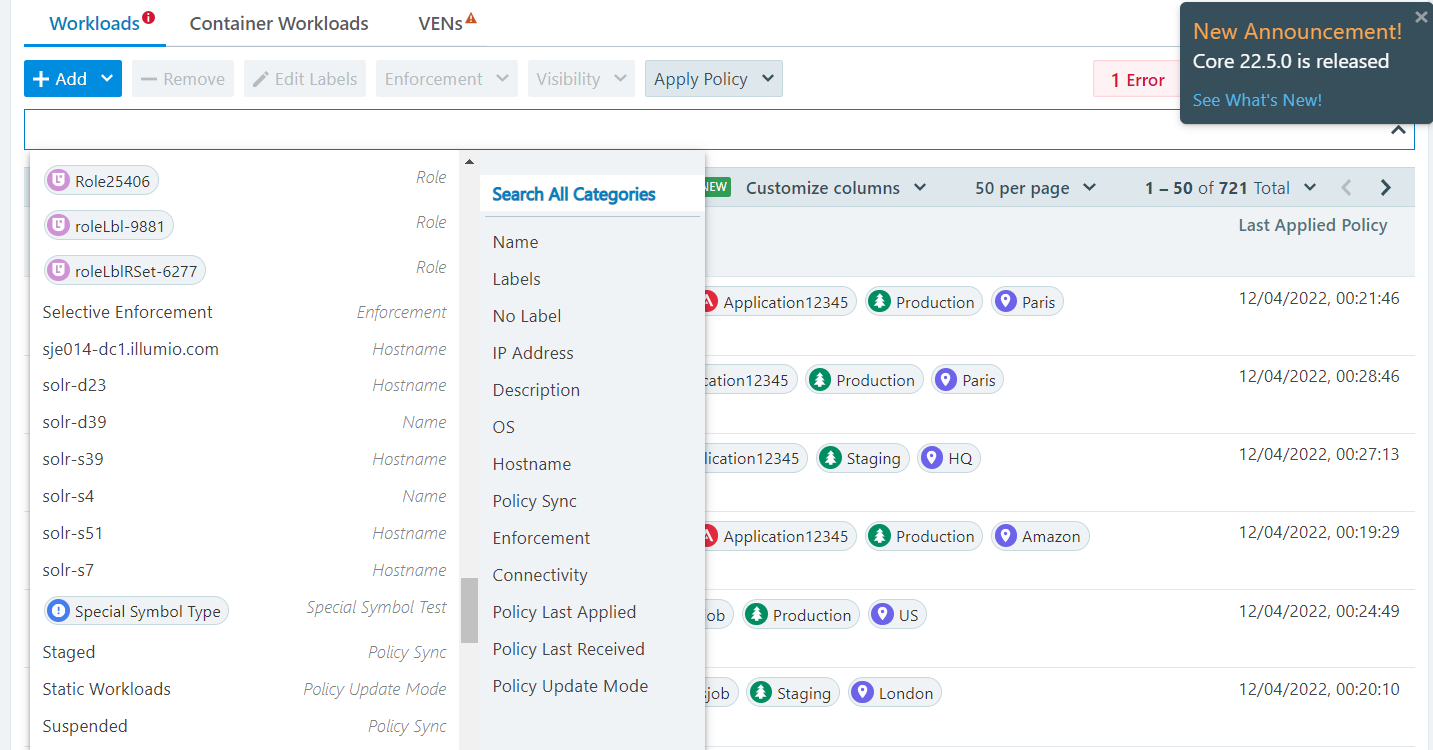
Code that was restricting RBAC dimensions to four dimensions has been removed
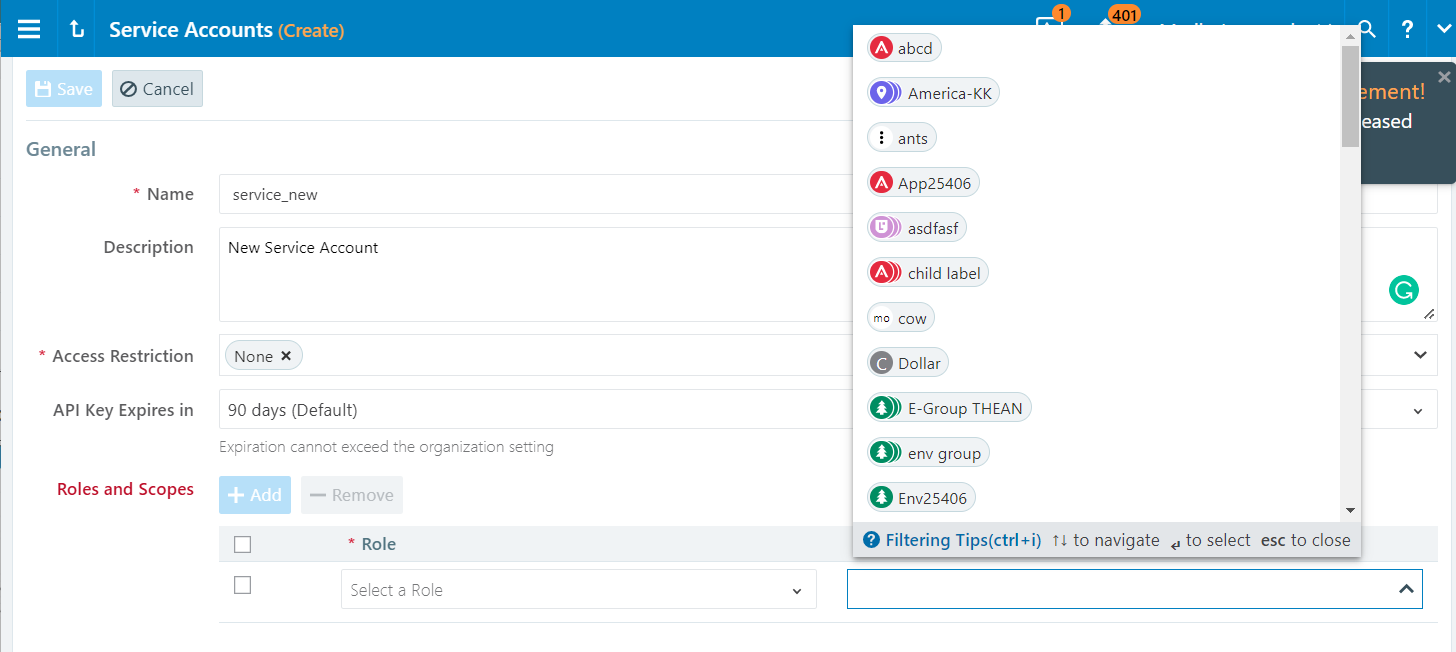
Changes to the autocomplete/facet APIs to support the new UI filter.
The common schema rbac_permission_types.schema.json is referenced from other APIs to indicate the RBAC permission that is used: write or provision.
In the case of Illumination Plus and with the new property caps, the type provision is not used to avoid additional delays when checking the permissions of each flow. Therefore, only permission write is used and further verification is handled on the UI side.