Configure SAML Settings for EntraID
The following topics describe how to configure your SAML settings for EntraID using https://test1.illumio.ai as an example of a subdomain URL.
Configure SAML Settings
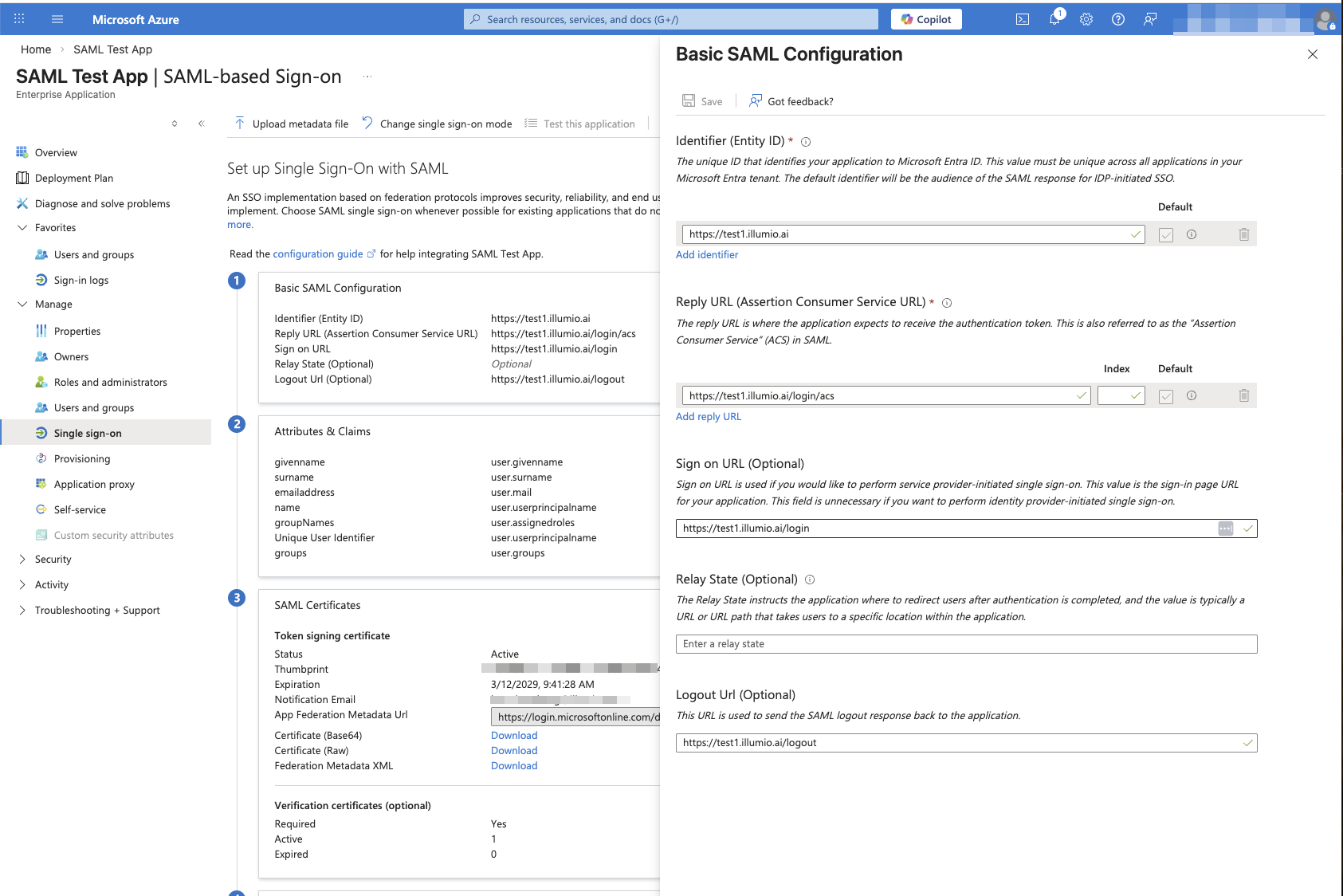
Navigate to your SAML application in Entra ID and update the settings as shown in the following figure:
Configure Attribute Mappings
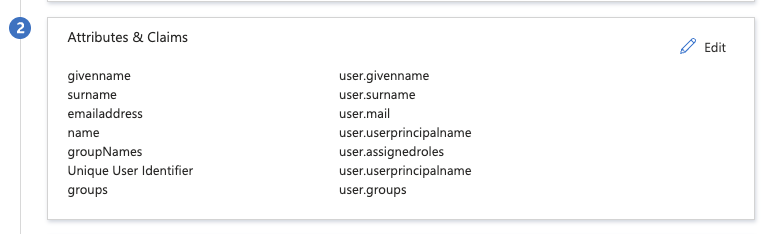
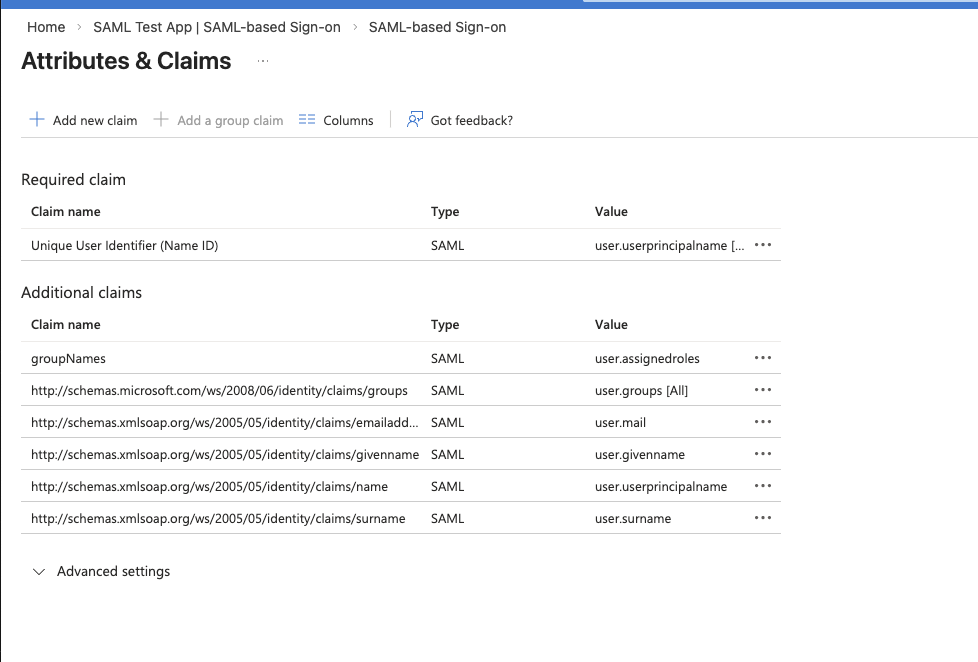
Configure the attribute mappings to pass user information to Illumio Console as shown in the following figures:
Update the SAML Signing Certificate
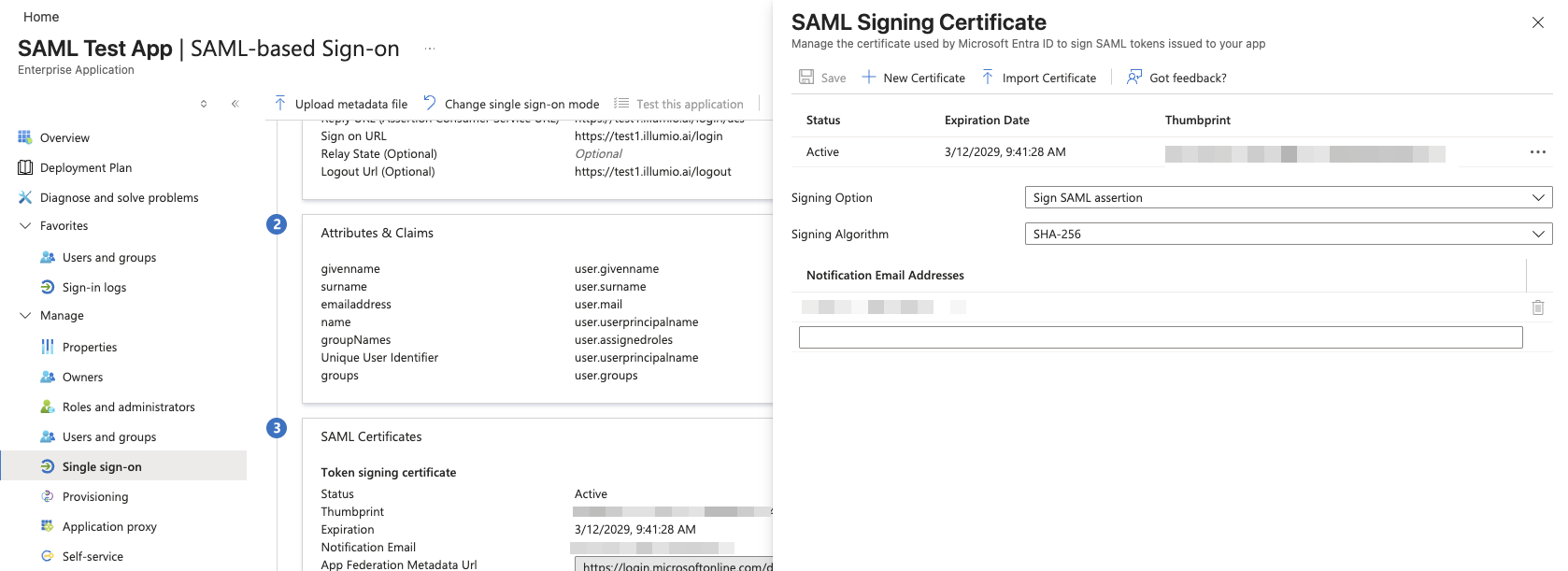
Upload the signing certificate that Illumio Console in the SAML Signing Certificate pane:
When you download the SAML certificate from Illumio Console, the file is saved with a .crt extension. However, your Identity Provider (IdP) may require a different file extension.
The certificate uses PEM encoding regardless of the file extension. If your IdP requires a different format (such as .pem or .cer), rename the downloaded file to change the extension:
certificate.crt → certificate.pem
certificate.crt → certificate.cer
Common PEM-compatible extensions include .crt, .pem, .cer, and .cert. These are interchangeable for PEM-encoded certificates.
Note
You do not need to convert the contents of the file. You only need to update the extension to match your IdP's requirements.