Configure SAML Settings for PingOne IdP
Configure SAML settings in PingOne using the following procedures.
Configure SAML
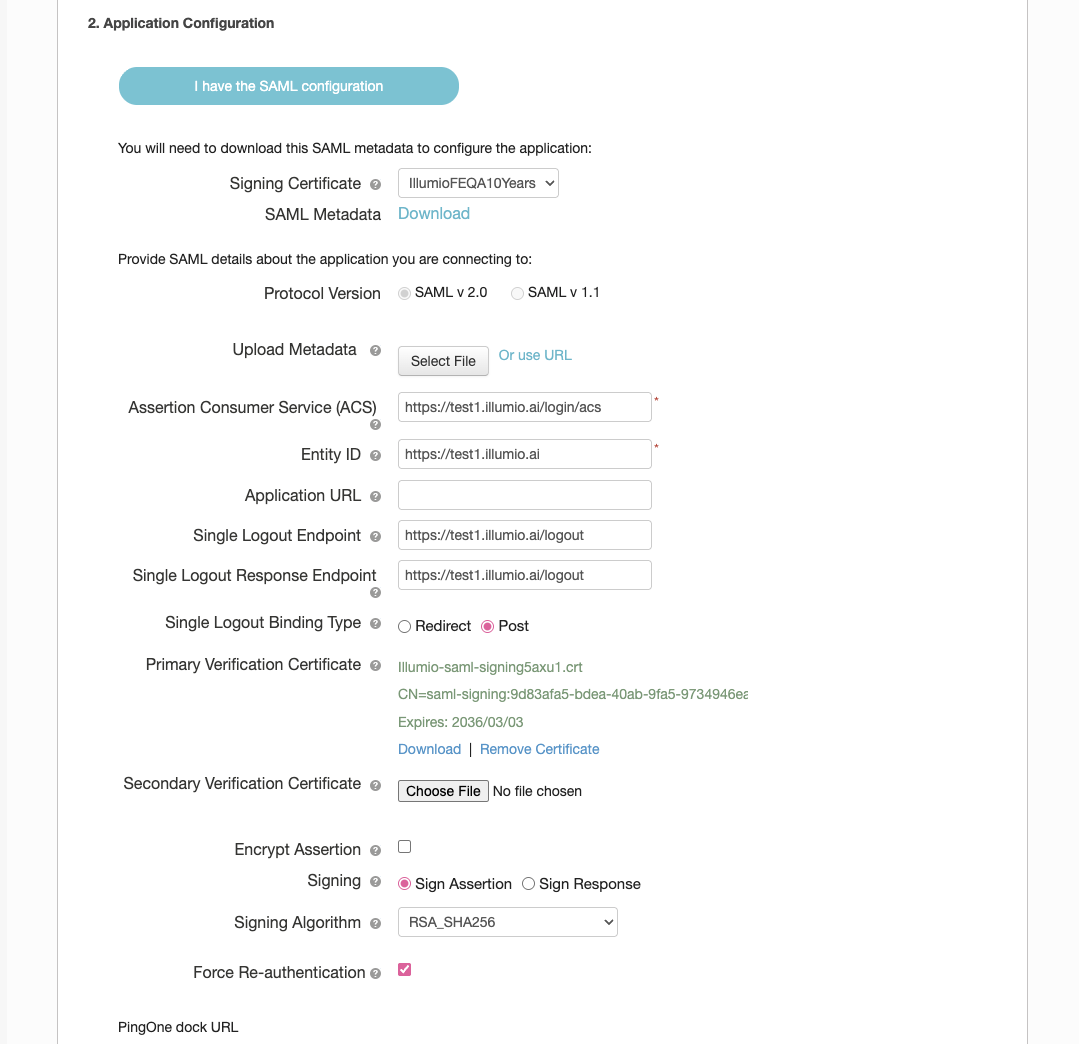
Navigate to your SAML application in PingOne and update the settings as shown in the following figure:
Configure Attributes
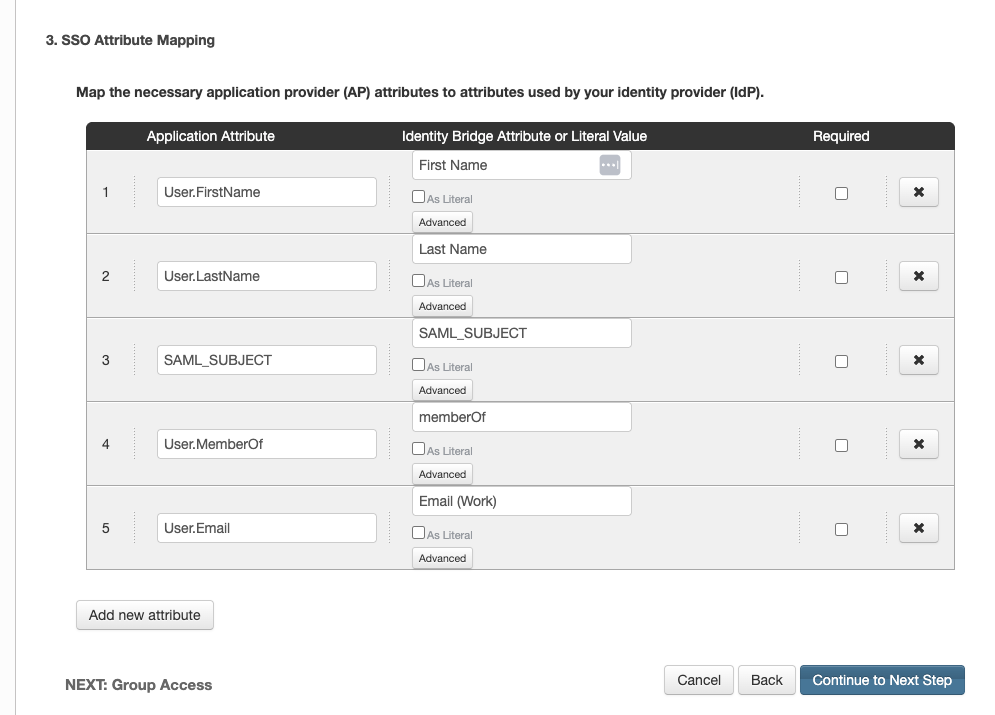
Configure the attribute mappings to pass user information to Illumio Console as shown in the following figure:
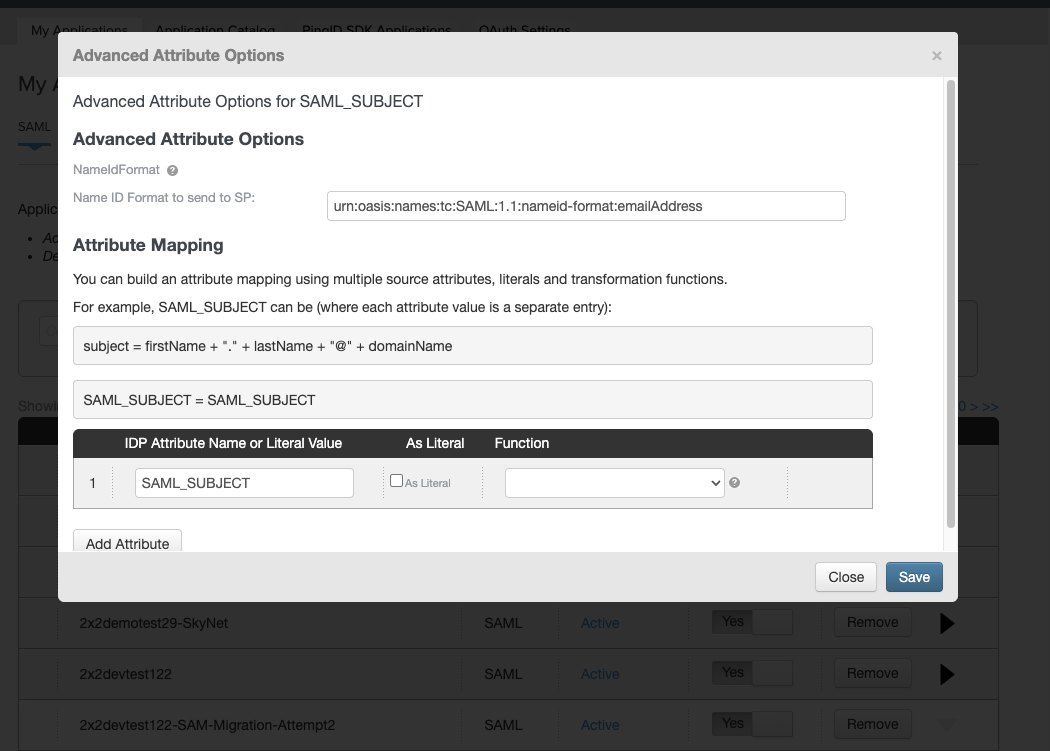
In Advanced Attribute Options, set SAML_SUBJECT to urn:oasis:names:tc:SAML:1.1:nameid-format:emailAddress as shown in the following figure: