Your Journey into Illumio Insights
Are you ready to explore Illumio Insights? Sign up for the 14-day free trial and go.
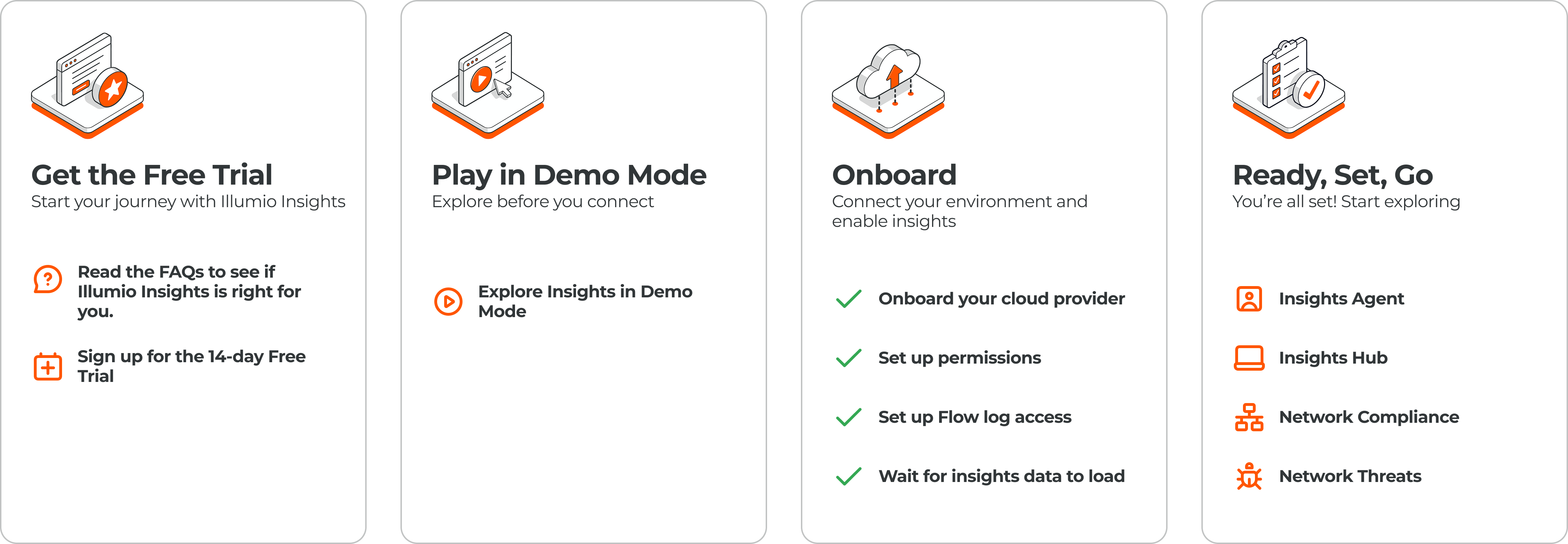
Sign up for the Free Trial
The trial provides you access to a demo mode environment.
Have questions about the trial? Read the FAQs.
Go to the Illumio Insights Free Trial page and submit the form.
Activate your account.
Your onboarding journey
After you activate your account and have logged in, you can explore demo mode and then onboard your cloud resources and flow log data.
Play in Demo Mode: Explore pre-loaded Illumio demo data to see what a "breach in progress" looks like and what you can do to take quick action. You can see real communication paths, reachable ports, and unexpected flows across your hybrid, multi-cloud environment.
Note
This mode is available to you for the first 7 days of your free trial.
Onboard your account: Connect your own cloud accounts to see real-time traffic in your environment.
Navigate to Cloud and select Onboarding.
Choose your cloud environment. Illumio Insights supports Amazon Web Services (AWS), Microsoft Azure, and Google Cloud Platform (GCP).
The onboarding process is different depending on the cloud platform you select.
See Before You Begin and Onboarding.
Connect your flow logs to understand how your environment behaves in real time. You can do this only after you’ve added your cloud account.
Explore Illumio Insights after your logs are ingested.
Explore Illumio Insights
To get the most out of Illumio Insights, start with a focus on these activities:
Identify "Shadow" Traffic: Look for traffic on risky ports that shouldn't be exposed to the internet.
Run a "What-If" Analysis: Use the AI Security Graph to see the potential blast radius if a specific database was compromised.
Test One-Click Quarantine: Select a workload and see how the platform generates the policy to isolate and quarantine it from the rest of your network.